
How to Automate Customer Onboarding
Karl Marais | 20 May 2026
Customer onboarding can often feel like a grind: chasing paperwork, endless follow-ups, and worrying that new clients might slip through the cracks.
But imagine an onboarding process that runs more smoothly, with new customers guided through the process using less manual effort from your team.
By delivering more consistent, high-quality experiences, businesses can strengthen long-term customer loyalty. Here’s how to bring automated onboarding to life.
Understanding Customer Onboarding Automation
Customer onboarding automation leverages technology to streamline the process for new clients. By reducing manual tasks and creating more consistent onboarding experiences, businesses can better support customer success and retention. Businesses often begin by identifying repetitive onboarding tasks that can be automated.
Automation helps clients move smoothly from one stage to the next, helping businesses create stronger first impressions and making it easier for customers to engage with and adopt the product.
Onboarding data can help businesses see where customers are struggling and respond more quickly, helping teams maintain better relationships with customers.
Additionally, automation unifies customer interactions across channels, an essential factor for companies looking to deliver a cohesive experience.
What is Customer Onboarding?
Customer onboarding guides new clients through using your product or service. The aim is to help them reach value quickly and start building loyalty from day one.
Effective onboarding is customer-centric and intuitive, mapping the journey from introduction to regular use while removing friction. It’s an ongoing engagement, with regular measurement and adjustment informed by client feedback.
Automation in onboarding brings consistency and a higher level of personalization to every new user’s journey.
The Manual Onboarding Problem
Manual onboarding is often time-consuming and error-prone, involving endless data entry, follow-ups, and inconsistent experiences. As your customer base grows, these inefficiencies multiply, risking overlooked details and disappointed clients.
Manual processes cannot scale effectively and often result in missed opportunities or negative first impressions.
Automation changes this by enforcing standardization, reducing errors, and letting your team focus on nurturing customer relationships.
Introduction to Automated Onboarding
Automated onboarding uses technology to turn repetitive tasks into workflows tailored to different customer needs. This streamlining can provide behavioral insights that help companies identify friction points and improve the onboarding experience.
By tailoring workflows to each client’s needs, businesses can create experiences that feel more relevant and easier to follow. Using AI for segmentation and personalization can help tailor onboarding for different users.
Benefits of Automating Customer Onboarding
Automation brings several advantages to the onboarding process. By reducing repetitive tasks and minimizing manual errors, teams can spend more time on higher-value work while helping customers reach value more quickly.
Automation also makes it easier to create consistent experiences as customer demand grows, with onboarding paths that can be segmented or self-serve where appropriate.
Automated personalization and timely communication encourage engagement, support customer satisfaction, and help reduce churn over time.
With prompt support and intuitive onboarding experiences, businesses can better support long-term customer retention while maintaining a more consistent customer experience. For deeper retention strategies, read about AI automation for customer retention.
Key Elements to Automate in Customer Onboarding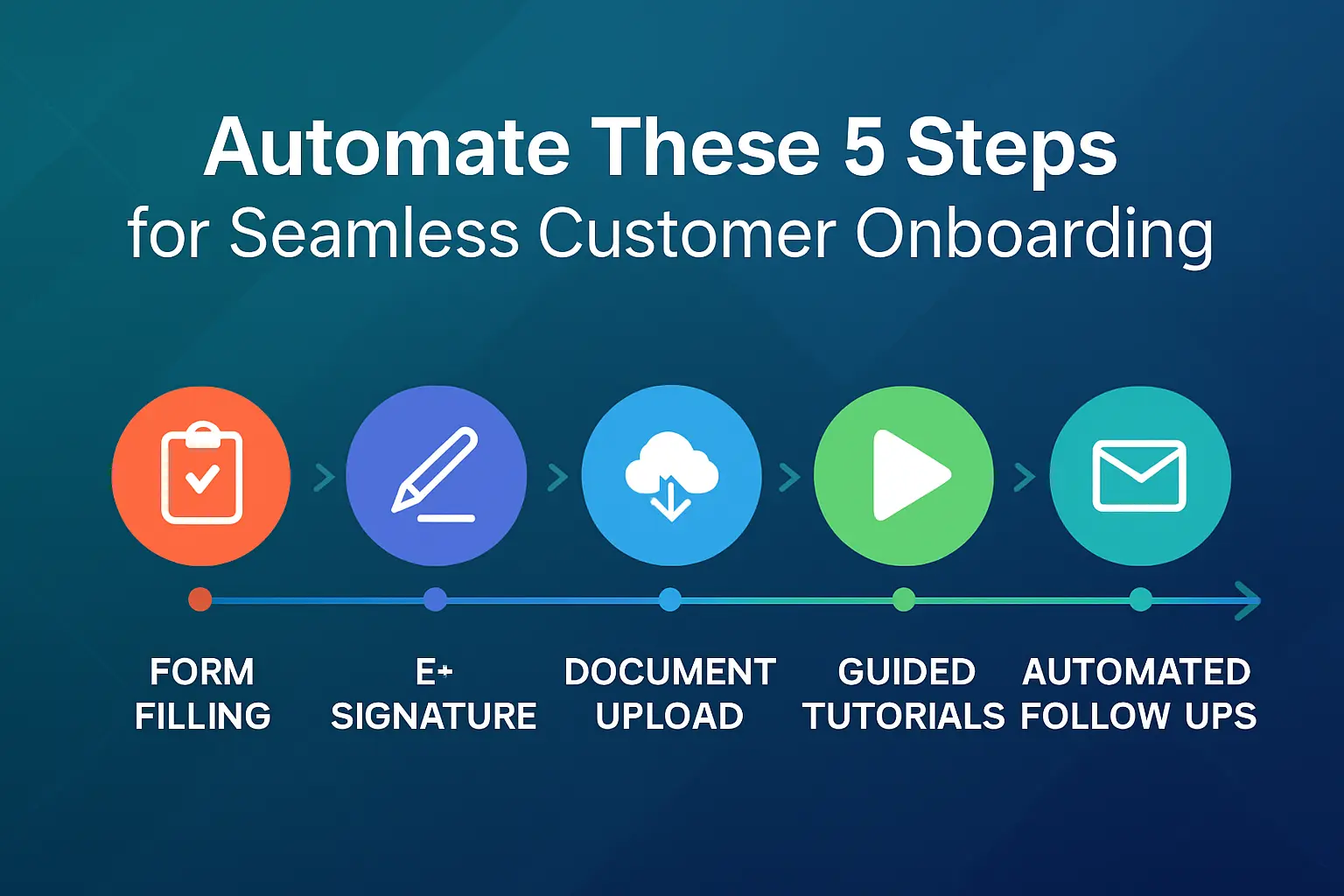
Identify the stages where automation brings the most impact:
- Welcome and Setup Emails: Automated welcome emails and tailored sequences deliver essential information, encouraging customers’ first steps and setting expectations.
- Task Assignments and Checklists: Assign onboarding tasks to team members and provide clients with clear step-by-step checklists and customer-facing portals for progress tracking and form submission.
- Progress Tracking and Notifications: Real-time progress dashboards and automated reminders help customers progress through onboarding, track milestones, and reduce drop-off.
- Reporting and Analytics: Use dashboards and automated reports to identify trends, address friction points, and adjust onboarding based on how customers interact with it.
Choosing the Right Tools for Automation
Selecting onboarding automation tools requires careful consideration of integration, usability, scalability, and security. Your tech stack should support the customer experience while working effectively with existing systems.
Email automation platforms such as Mailchimp and Customer.io can help businesses create trigger-based onboarding sequences and personalized communications.
CRM platforms like HubSpot and Salesforce allow teams to manage onboarding workflows, track milestones, and centralize customer information.
Businesses with more specialized requirements may also use automation platforms such as Zapier or custom-built integrations to connect workflows across multiple systems.
When evaluating onboarding tools, factors such as budget, ease of use, scalability, integration capabilities, and security should all be considered. Reviewing testimonials and aligning tool features with your business’s specific needs can also help support better long-term implementation.
Implementing Automated Onboarding Processes
Streamlining onboarding starts with a clear plan. Follow these steps:
- Map Your Current Process: Document each step, bottleneck, and handoff. Visualize where automation can simplify or speed up tasks.
- Define Triggers and Actions: Set clear behavioral triggers, like form completion or inactivity, and their linked automated actions (e.g., reminders, next steps).
- Build Email Sequences: Design a series of automated emails for welcomes, check-ins, and milestones. Personalize content and synchronize across channels for better engagement.
- Test Before Launch: Test the workflow end-to-end. Pilot with a sample group, gather feedback, and refine before a full rollout.
Best Practices for Successful Onboarding Automation
Successful onboarding automation depends on balancing efficiency with a customer-focused experience. AI can help personalize onboarding by segmenting users and delivering more relevant interactions based on their needs and behavior.
Clear communication is also important, with progress indicators and timely notifications helping clients stay informed throughout the onboarding process. While automation can streamline repetitive tasks, human interaction still plays an important role.
Kickoff calls, dedicated customer success contacts, and escalation paths for more complex situations can help create a more supportive onboarding experience.
Businesses should also monitor performance regularly, gather customer feedback, and refine workflows over time to better meet evolving user needs. For ongoing improvement methodology, see this auditing guide.
Measuring the Impact of Automation
To ensure your automated onboarding delivers, track these metrics:
- Key KPIs: Monitor activation rate, time-to-value (TTV), customer satisfaction (CSAT), retention, and conversion rates.
- Analyze Data: Run cohort analyses and segment performance reviews to surface opportunities for improvement.
- Calculate ROI: Compare operational savings and reduced churn against automation costs to assess overall value.
Align metrics with business goals for a data-driven approach.
Common Pitfalls to Avoid
Businesses should avoid relying on one-size-fits-all onboarding flows, as different customers often require different levels of guidance and support. Segmenting users and using branching logic can help create more relevant experiences.
Gathering and integrating customer feedback through surveys and regular checkpoints is also important for keeping the onboarding process responsive to user needs.
Security and compliance should remain a priority from the start, with strong data protection measures, regulatory compliance, and audit trails helping maintain accountability.
Businesses should also be mindful of over-automation, poor system integration, or inadequate staff training, as these factors can reduce the effectiveness of the onboarding experience. Regular monitoring and ongoing education can help support long-term success.
Conclusion
Automating customer onboarding can improve both operational efficiency and the overall client experience. By reducing repetitive tasks and creating more consistent onboarding journeys, businesses can save time, minimize errors, and better support long-term customer relationships.
Effective onboarding helps create strong first impressions while making it easier to guide customers toward regular product or service use.
With the right tools, clear communication, and regular adjustments to the onboarding process, businesses can build onboarding processes that remain scalable as customer demand grows. Start small and monitor how customers respond throughout the process.