Creating Scroll-Stopping Visuals Using AI
Karl Marais | 7 May 2026
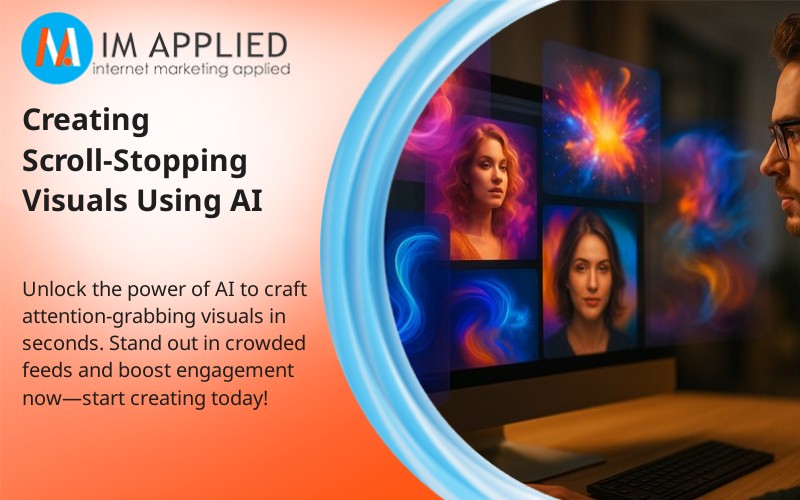
Creating visuals that truly stop scrollers is a constant challenge, especially when you’re competing against a flood of online content. Many businesses think this requires expensive design teams or mastery of complex software.
But does it have to? By harnessing AI-driven design, you can create eye-catching images in seconds, even without a design background.
Why Scroll-Stopping Images Matter
Scroll-stopping images are essential in today’s content-saturated environment. The right visual acts as an immediate hook, capturing and holding attention.
As the attention economy increases, compelling visuals are now a non-negotiable for anyone wanting to stay relevant and drive stronger engagement.
These images aren’t randomly chosen; they’re intentionally crafted ad creatives that foster deeper user interaction, leading to more likes, shares, and comments.
Strong imagery influences engagement rates, boosts click-throughs, and even helps convert prospects into customers. Ultimately, prioritizing visual content is both a creative and strategic edge.
Find out more about social media marketing here.
How High-Quality Visuals Win Attention
In less than a second, viewers decide whether to engage or keep scrolling. Effective visuals disrupt ad blindness with memorable color, bold design, or emotionally charged imagery.
They create a powerful first impression, helping align brand goals with user expectations. For marketers, this means developing visual-first strategies that foster both engagement and conversions.
Effortless Design with AI
AI-powered tools make the process more accessible to everyone, including those without traditional expertise.
AI saves time and streamlines workflow, enabling anyone to produce visually impactful content. It also supports visual consistency across platforms, allowing more focus on strategy.
Understanding AI-Driven Design Tools
Today’s AI design platforms have revolutionized visual creation. With tools that allow text-to-image generation, even beginners can generate strong visuals by simply describing them.
AI helps maintain brand consistency, lessens time-draining back-and-forth, and helps businesses stay adaptable in competitive markets. These platforms also update regularly, keeping your capabilities fresh and relevant.
How AI Streamlines the Process
AI enables you to generate visuals in seconds, removing bottlenecks from traditional design pipelines. This not only reduces costs and reliance on large design teams but also enables you to adapt quickly to new trends.
Human oversight is still key for quality, but AI tools automate complex steps, helping brands swiftly create, adjust, and optimize their visual assets.
Essential AI Tools for Visual Creation
From beginners to pros, AI tools are making it easier and faster to build compelling images and videos. Leading platforms include:
- Midjourney: Known for rapid generation and artistic variety.
- DALL-E 3: Creates detailed images from simple prompts, valued for versatility.
- Canva AI: Integrates smart AI features into a familiar interface for everyday creation.
- Adobe Firefly: Offers advanced features for both new users and design pros.
- Runway ML: Makes video generation as simple as text-to-image creation.
- Leonardo.ai and AdCreative.ai: Perfect for striking marketing campaign visuals.
Choosing the right tool depends on your creative goals, preferred workflow, and integration needs.
Features and Capabilities to Watch
Look for tools supporting artistic flexibility and ease of use, whether you need photo-realistic or stylized output. Leading AI options offer upscaling, editing, generative fill, and even text-to-video functionality. Integration with your existing workflow is also key for efficiency and team productivity.
Step-By-Step: Creating AI-Generated Images
It’s simpler than you think to produce stunning visuals:
- Plan Your Concept: Define your message, mood, and audience in a creative brief. Align with brand values and emotional triggers.
- Pick the Right AI Tool: Match your project goals, whether it’s realistic mockups or artistic abstractions, to the platform that best fits.
- Craft Precise Prompts: Guide the AI with specific, descriptive prompt formulas (e.g., [Product] + [Scene] + [Style] + [Lighting]). Develop a prompt library for quick iterations.
- Test & Refine: A/B test multiple variations and use data to find the visuals that resonate most with your audience.
Following this workflow will help your AI-generated images to be attractive and strategically on point.
Maximizing Impact: Enhancing AI Visuals
AI-generated images are only as effective as their composition. Use key design principles: balance, alignment, hierarchy, and smart use of color and typography. Tools like AI-powered heatmaps can guide adjustments to focus viewers’ gaze. Avoid clutter; every element should reinforce your brand message and desired action.
AI Visuals Across Industries
Multiple industries are using AI to enhance their visual content:
- Marketing & Advertising: Agencies deploy AI for ad creatives that engage and convert, with rapid iteration and easy personalization.
- E-Commerce: AI streamlines product imagery and mockups for platforms like Amazon and Shopify, sidestepping expensive shoots while enhancing visual appeal.
- Fashion & Real Estate: AI visualizes designs and properties, replacing time-consuming manual modeling or staging.
- Healthcare: Transforms complex data into digestible, impactful infographics.
AI-powered tools not only help increase efficiency but also drive measurable improvements in engagement and sales. For more on the synergy between AI and e-commerce SEO, explore the latest strategies.
Common Pitfalls and Solutions in AI Visual Design
AI isn’t flawless. Artifacts, odd facial features, or visuals that fall into the “uncanny valley” can harm credibility. Always review and edit AI-generated assets; human oversight is necessary for maintaining authenticity and on-brand visuals.
Misalignment with brand identity is another risk. Each AI visual should apply logos, colors, and themes consistently. Use AI to assist, not replace, the creative instincts of your design team.
Finally, be cautious with ethics and copyright. Only use tools that supply clear licensing for commercial use, and double-check platform rules. For more details, see Ethics in AI Marketing.
Boosting Campaigns with AI Image Prompts
AI image prompts and detailed written instructions play a key role in strategic marketing visuals. These prompts help align output with your brand story and campaign objectives.
Crafting them with specificity (subject, context, style, lighting) leads to more precise, high-converting images. Test real-world applications such as UGC lifestyle shots, hero images, and before-and-after visuals to drive engagement.
Adding high-quality AI images into your content strategy can also help improve SEO and user experience. Read about internal linking strategies for integrated marketing success.
Future-Proofing Your Visual Content with AI
AI-driven visual content is rapidly evolving. Expect even more personalized and immersive experiences, think hyper-realistic video, AR, and instant content adaptation to viewer preferences.
Platforms like Sora, Veo, and Kling are pioneering the next wave of AI-generated video and interactive media, while real-time personalization is becoming a new standard.
Staying competitive means adopting these emerging tools, tracking trends, and embracing change. AI won’t replace creativity but will amplify it, letting you produce and optimize visuals with greater speed and impact than ever.
Final Takeaways: Creating Scroll-Stopping Visuals with AI
Winning in the attention economy calls for visuals that don’t just look great, but perform. Mastering prompt-writing, leveraging leading AI tools, and balancing technology with human creativity are all key.
Build a routine of consistent testing and feedback, continuously refine your approach, and don’t be afraid to experiment.
Used correctly, AI can help create visual content that is both efficient to produce and aligned with performance goals, helping you move from idea to execution faster.